Luisa Maya — Kids Entertainment
✨ Concept preview · for Luisa

MayaKids OS

Your quote → booking → invoice tool 🎉
A first look at how it could work — all from your phone, between gigs.
These are design mockups, not the finished app. Have a swipe and tell us what you think!
⚙️ Set up🎉 Customer asks✨ You quote👯 Team & pay📊 Overview
① Setup

Set it up once 🛠️

Configure your prices a single time — every quote then fills itself in.

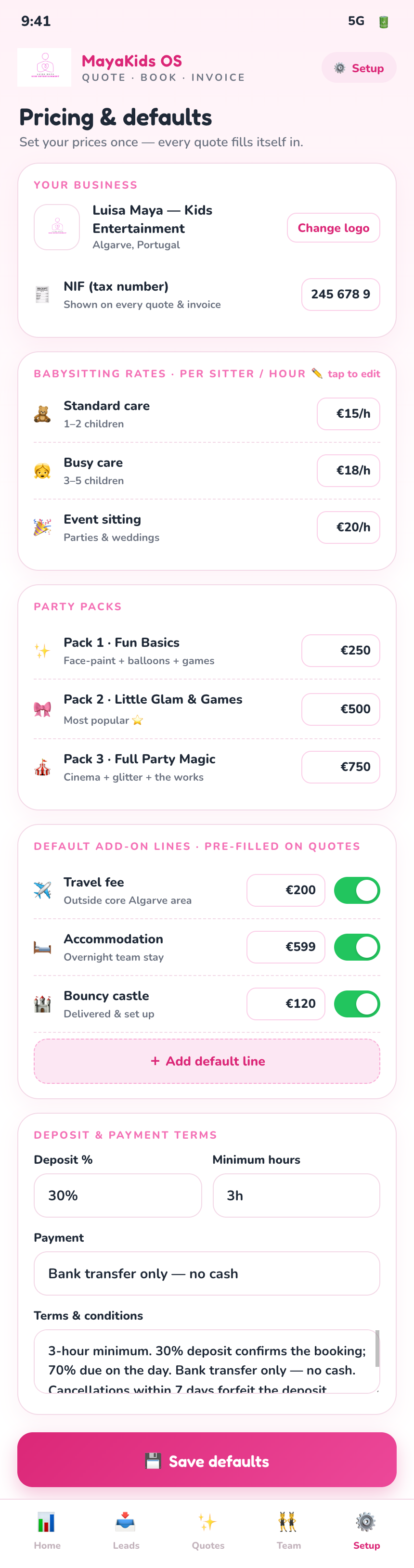
1 Pricing & defaults

Pricing & defaults

Set your hourly rates, party packs, deposit %, NIF, T&Cs and default add-ons — travel, accommodation, bouncy castle — once. Every new quote starts pre-filled.

② Customer side

How a parent asks 🎉

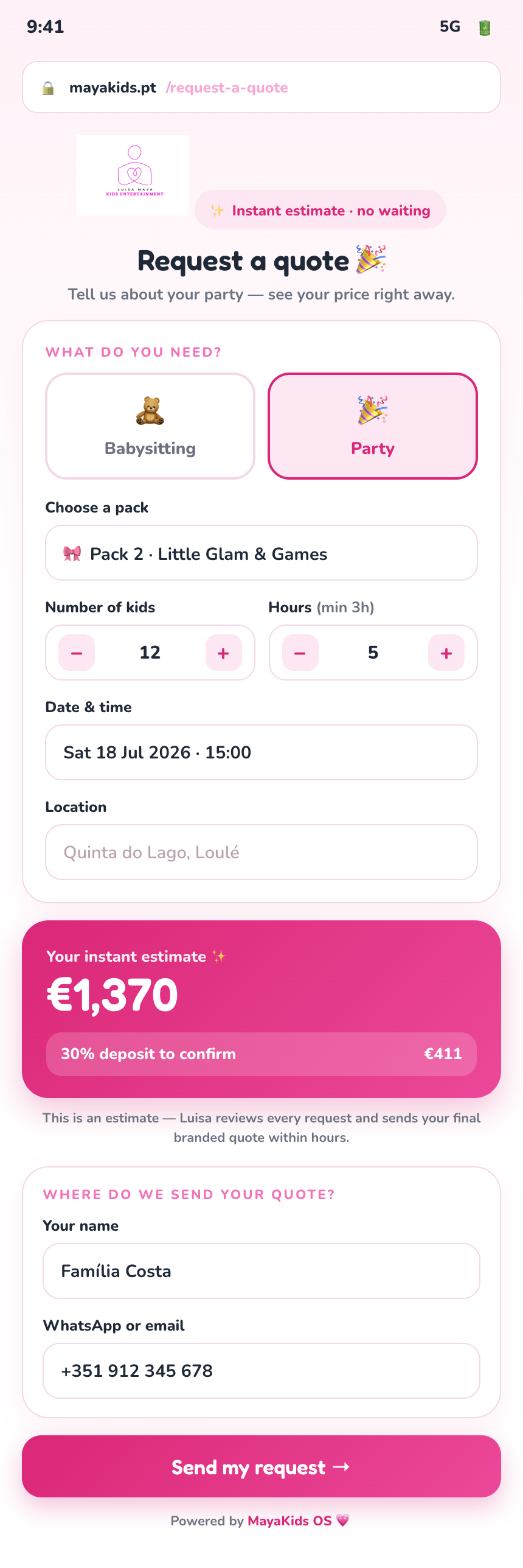
A simple request form you can embed on mayakids.pt — one of two ways a quote begins.

2 Public request form

Public request form

A parent picks a pack, number of kids, hours and date, sees an instant estimate, and submits — landing straight in your Leads inbox as a new request.

③ Your side

Two ways to quote ✨

Turn an incoming request into a quote, or build one yourself — then send it branded.

← swipe · 4 screens →
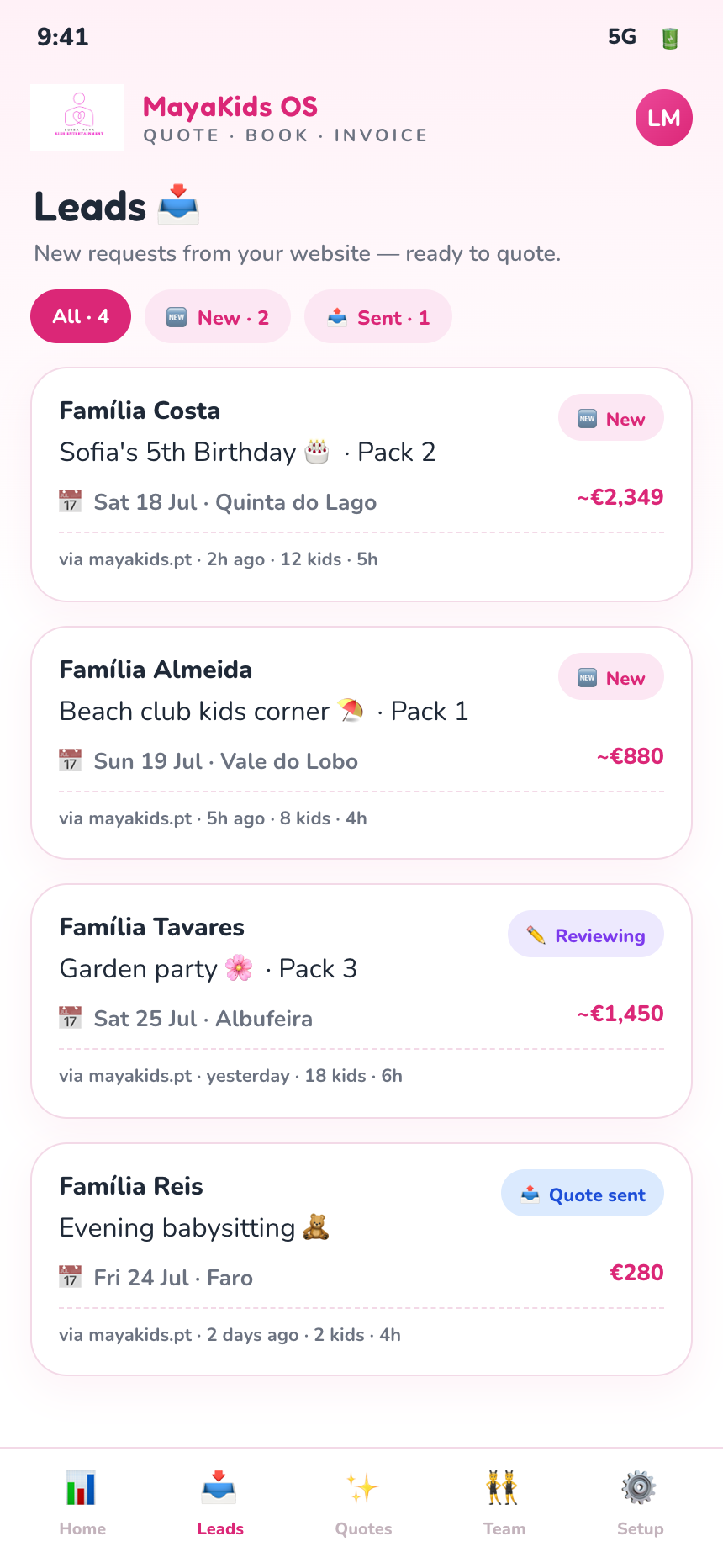
3 Leads inbox

Leads inbox

Every website request in one place, newest first, each with its estimate and status. Tap one to review.

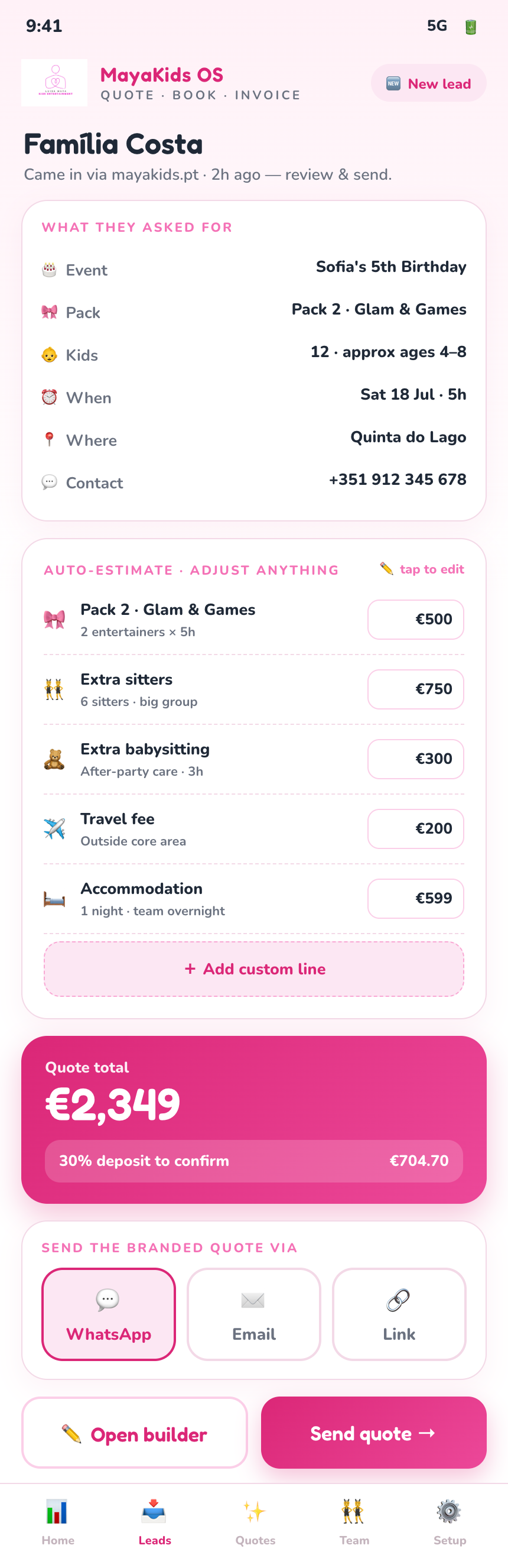
4 Lead review

Review & send

Open a lead to see their request and an auto-estimate from your defaults. Adjust any line, then send the branded quote by WhatsApp, email or link.

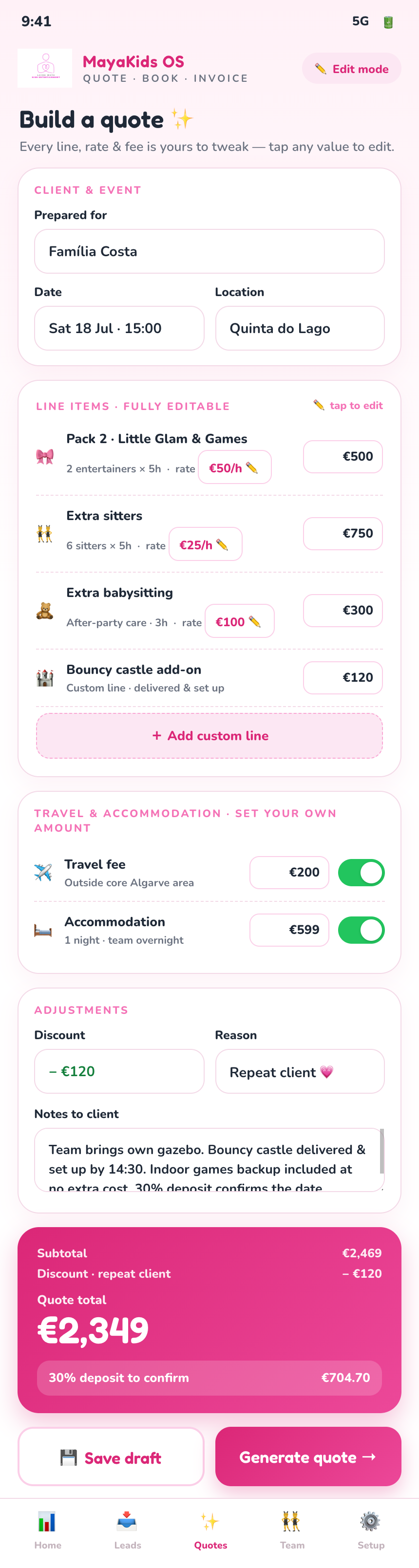
5 Quote builder

Quote builder

Or build one directly. Every rate, line and fee pre-fills from your defaults — tap any value to edit, toggle lines on/off, or add a custom line.

6 Branded quote

Branded quote

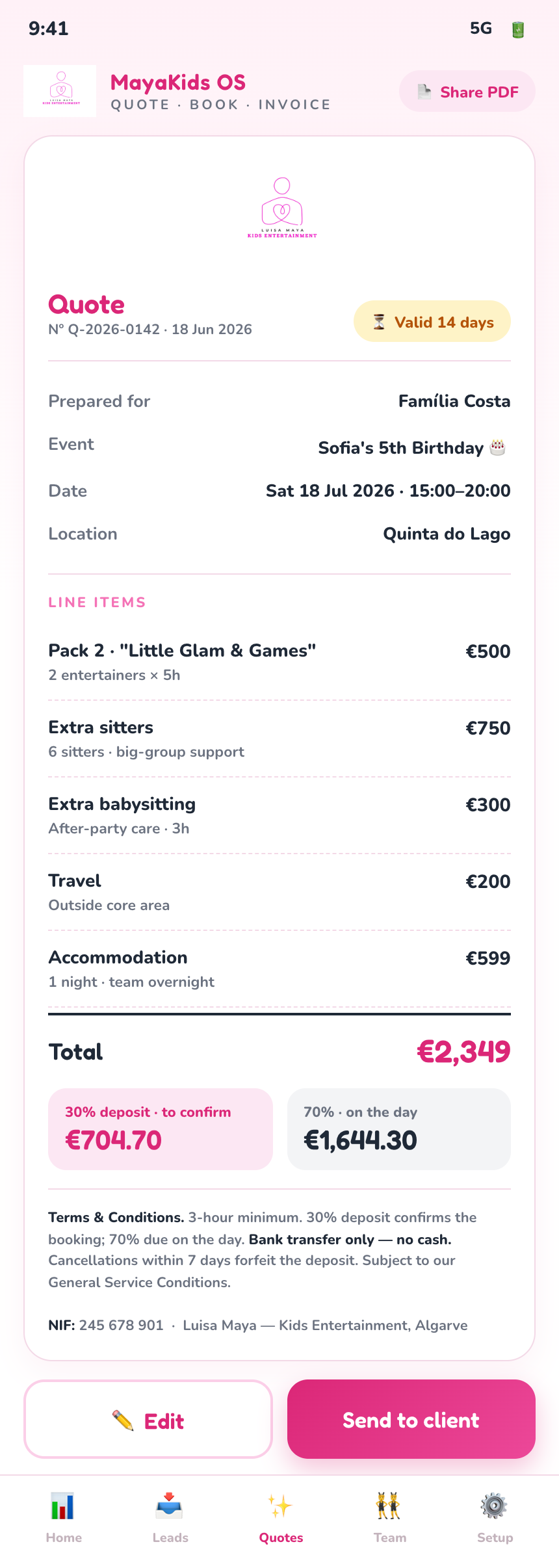
A polished, shareable quote with line items, your 30/70 terms, cancellation policy and NIF — all filled in. Looks just like a real PDF.

④ Team & ops

Your girls, organised 👯

Roster, gig assignments and payouts — simple, in one place.

← swipe · 3 screens →
7 Team roster

Team roster

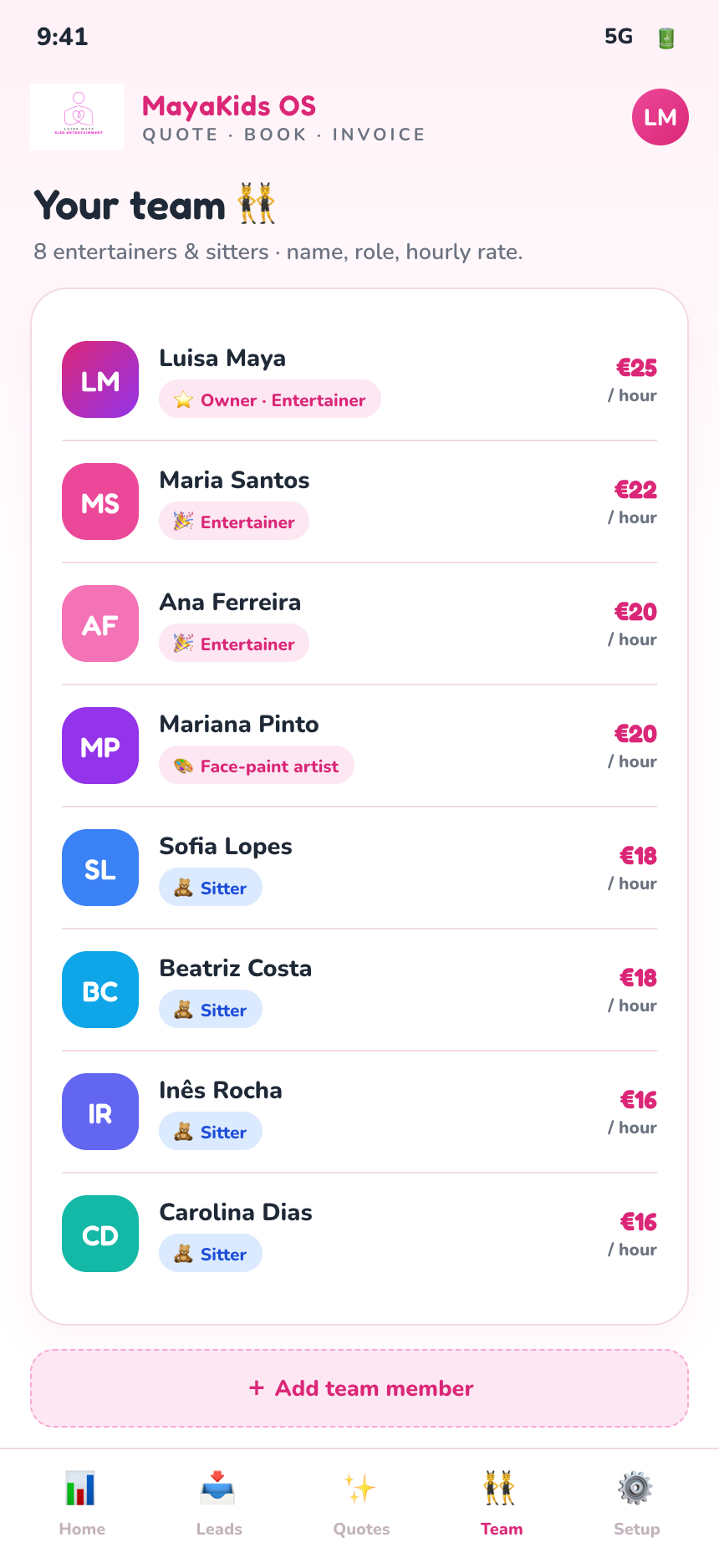
Your 8 entertainers and sitters with their roles and hourly rates, all in one tidy list.

8 Gig assignment

Assign the team

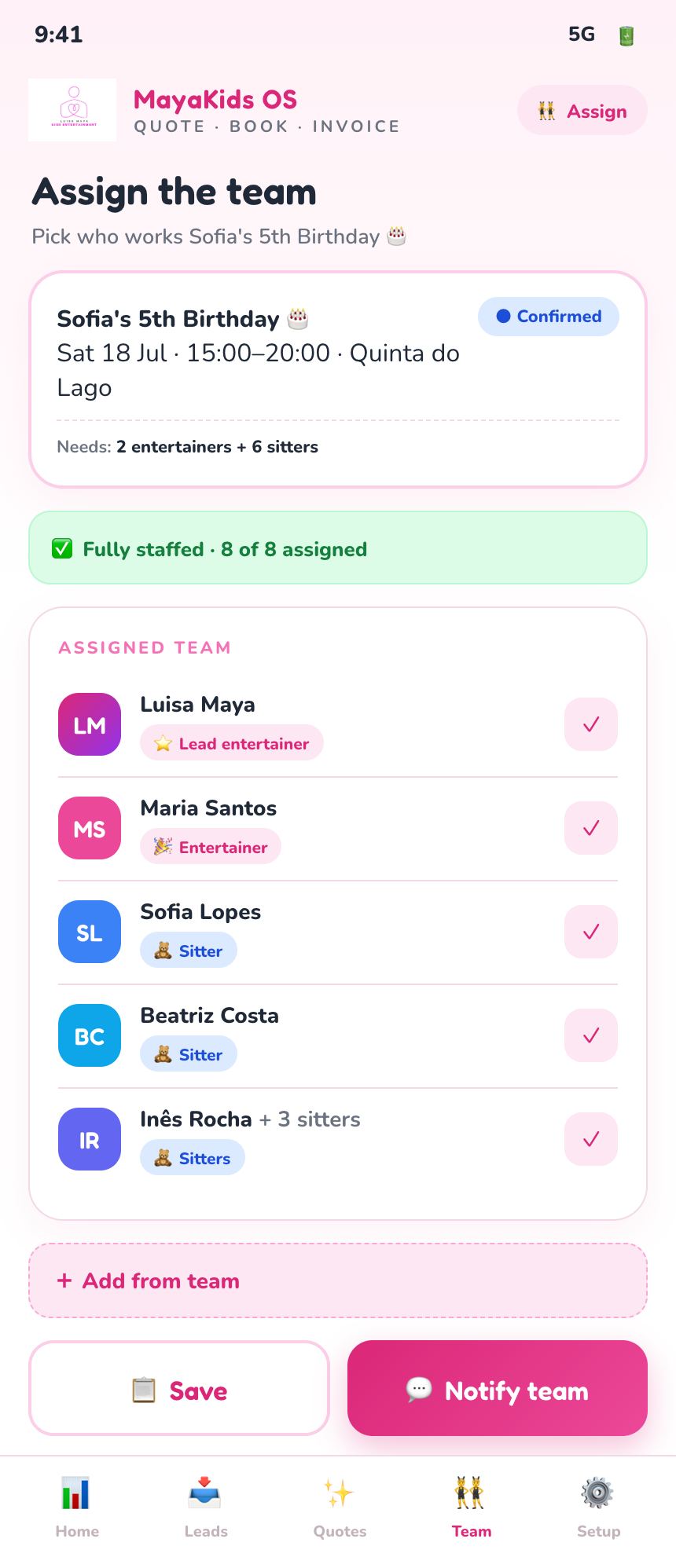
Pick who works each event and see at a glance when a gig is fully staffed. Notify the whole team in one tap.

9 Payouts

Payouts

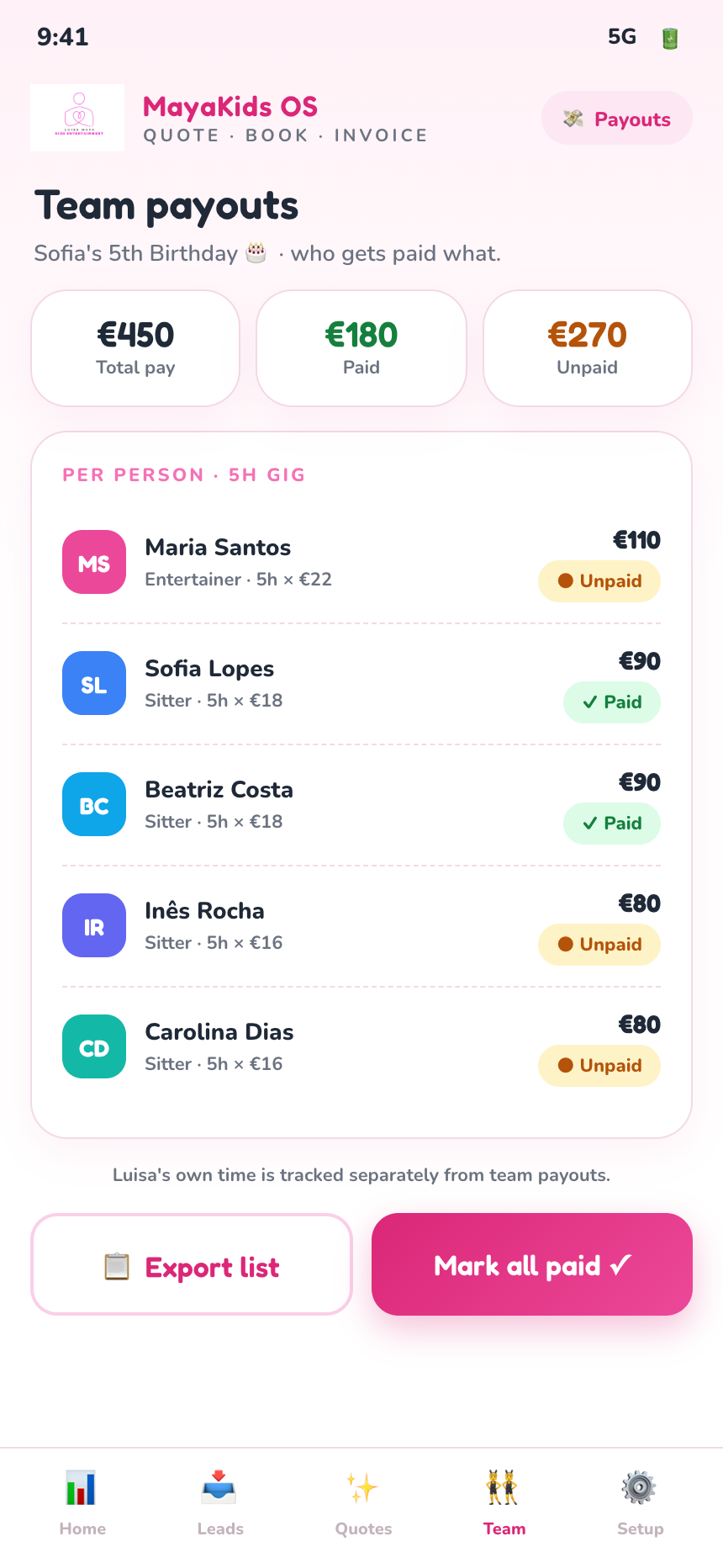
Each person's pay per gig, paid vs unpaid at a glance — so everyone gets the right amount, on time.

⑤ Overview

Booked → paid 📊

From a confirmed booking to a paid invoice — the whole picture at a glance.

← swipe · 3 screens →
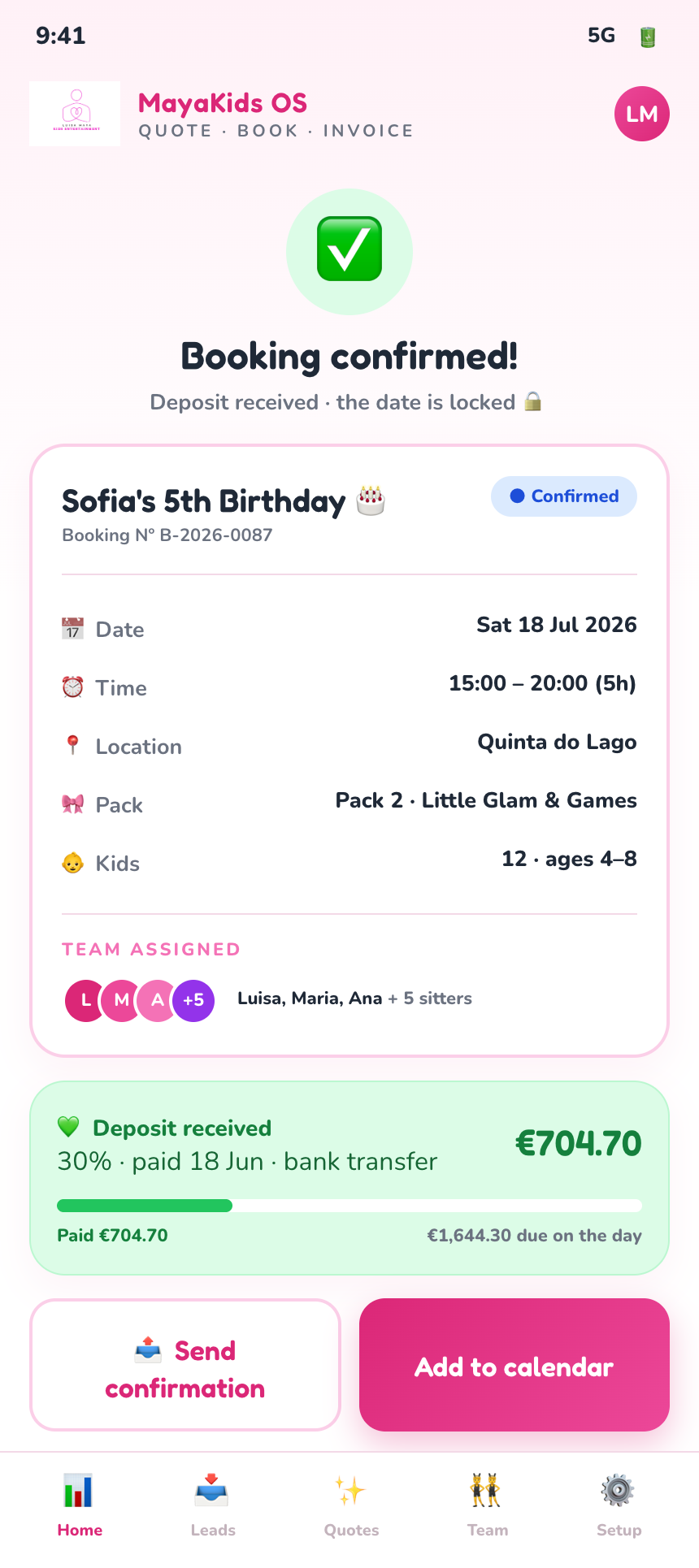
10 Booking confirmed

Booking confirmed

One tap turns an accepted quote into a confirmed booking — date locked, team assigned, deposit logged.

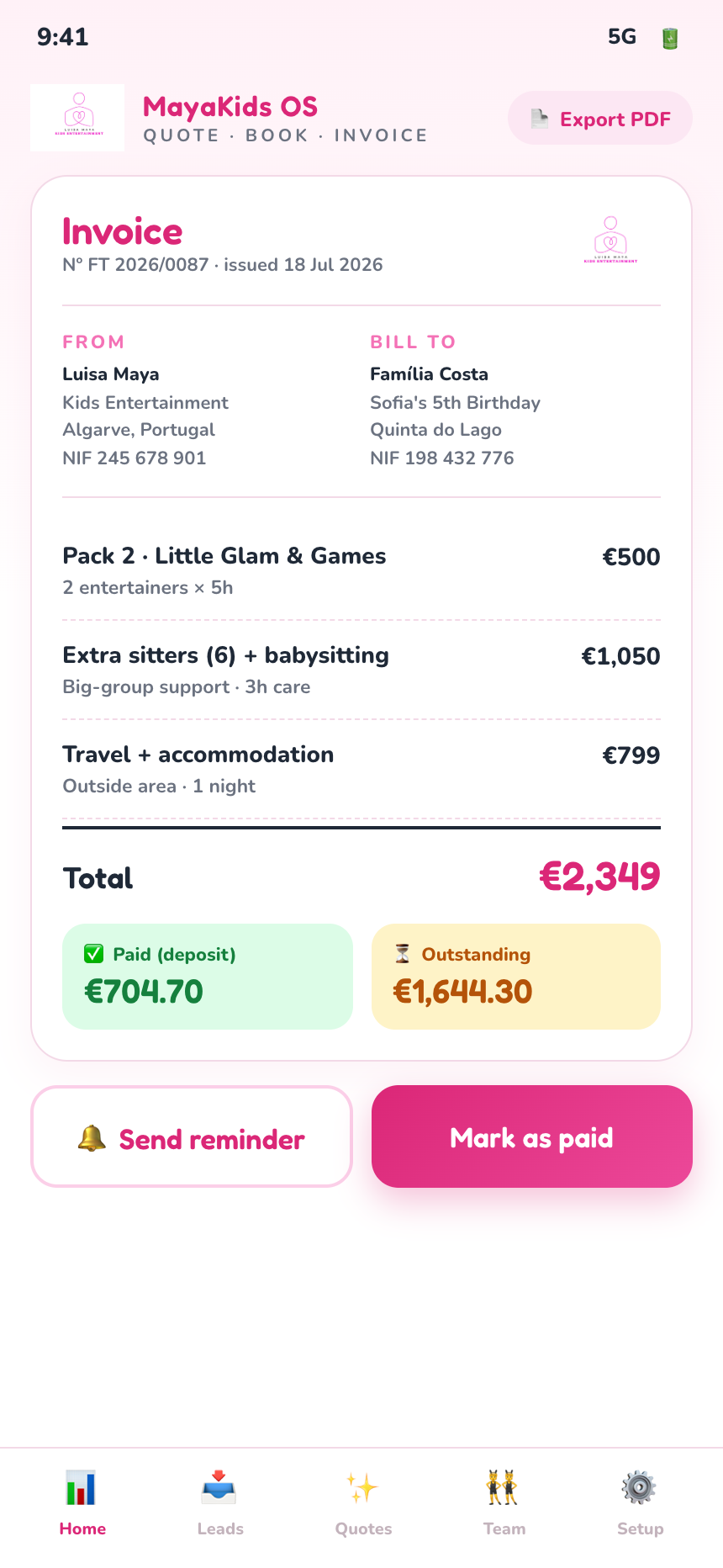
11 Invoice & ledger

Invoice & ledger

Numbered invoices with your NIF, paid vs outstanding, and automatic per-family splits — so a transfer never lands on the wrong family again.

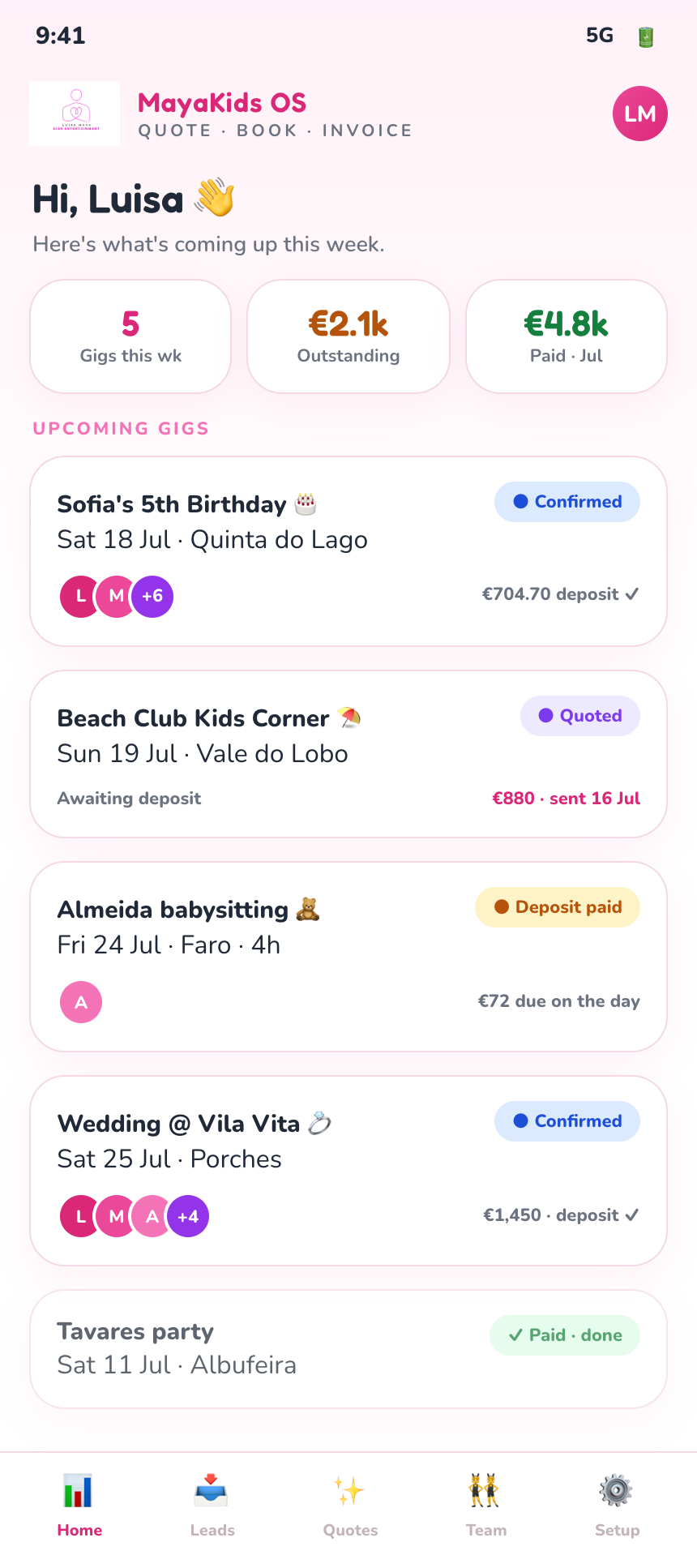
12 Dashboard

Dashboard

Every gig colour-coded from quoted → deposit → confirmed → done → paid, with this week's money at a glance.

Why it helps 💗

Win the gig fasterSend a polished quote in seconds — before the client books someone else.
💸
Never lose track of moneyDeposits, balances and per-family splits tracked automatically — no more mis-credited transfers.
📱
All from your phoneQuote, confirm and invoice between gigs — your branding on everything.
👯
The whole team, organisedSee who's on each job, what's coming up, and who still needs paying.